Plan and review tests in the browser
Prepare test plans in performed tests, add cases from the library and start runs from the plan. Test packages group related plans. You need the corresponding planning, editing and execution permissions.
Prepare a test plan
- Under performed tests, select the target folder and create a plan or template.
- Edit its name, description, attributes and attachments. Define the required test environments and review permissions.
- Add test units, cases and variants from the library. Check the scope and order in the plan.
- If library cases have changed since they were added, synchronise them and review the resulting plan content.
- Start a test run with the required details and cases. Check the chosen plan and environment before starting.
A plan contains the cases included for its execution. Library changes and plan changes therefore need separate review. Domain rules, including restrictions for plans with active runs, also apply in the browser.
Perform and follow up a test run
Open the run under test runs, read its instructions and expected result, and record the status, actual result, remarks and attachments. Link defects through the configured integration where required. Save before moving to the next case.
Review the outcomes after execution and complete the run. Reopening, cloning, archiving and deleting are separate actions governed by permissions and run state. Before deleting or archiving, check the selected run and the consequences shown in the confirmation.
The web overview provides the basic execution steps.
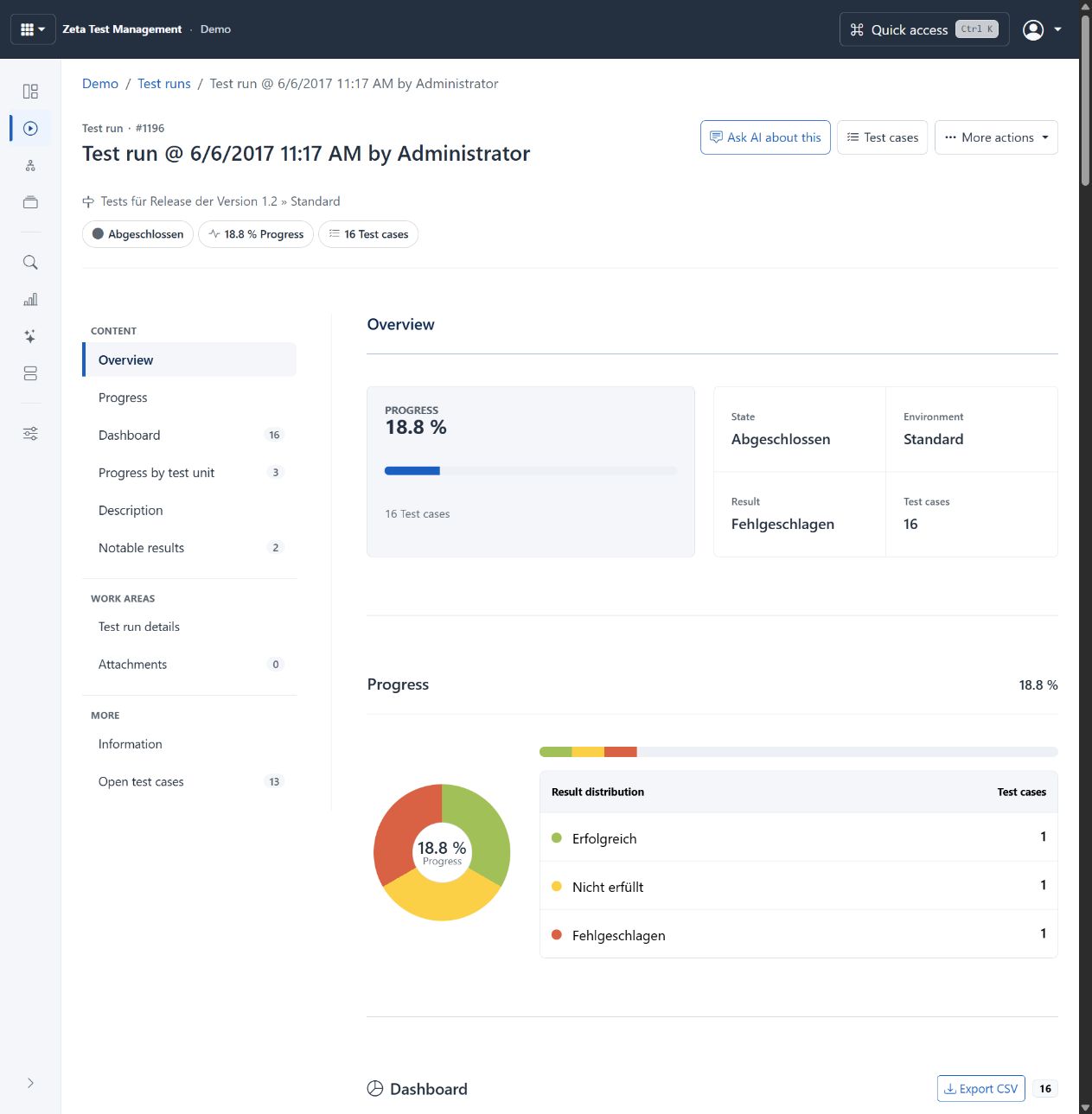
Completed run from the live demo, showing progress and result distribution. Completion does not imply every case has a result. Configurable project terms and statuses remain partly German. Select image to enlarge.
Work with a package of plans
Open test packages, select or create the package and maintain its plans. When copying a package, choose the destination and whether to include all cases or only failed cases. Check start/end dates and archiving of completed runs where applicable. A package does not override execution permissions on its plans.
Review before execution
Open the case or requirement chapter and use its review section. Check the content, review status and existing feedback, then save your domain decision with the necessary rationale. Use the reviews area to follow up reviews across the project.
AI review can identify quality and coverage gaps. Accepting an AI finding does not replace a required domain approval or deliberately applying an edit.
For risk-oriented proposals, use AI test planning. For progress, failure patterns and exports, see reporting and data exchange.